Features
Check supported systems and file types, then explore saves and controls.
Supported systems
Game Boy Advance GBA
- Importable files
- .gba · .agb
- Players
- 1 player
System details
| # | System | Abbreviation | Core | File extensions | Resolution | Max. players | Rewind | Cheats |
|---|---|---|---|---|---|---|---|---|
| 01 | Game Boy | GB | mGBA 0.10.5 | .gb, .gbc | 160×144 | 1 | ○ 15 sec | ○ |
| 02 | Game Boy Advance | GBA | mGBA 0.10.5 | .gba, .agb | 240×160 | 1 | ○ 15 sec | ○ |
| 03 | Super Nintendo | SNES | bsnes-jg 2.1.1 | .sfc, .smc | 256×224 | 2 | ○ 12 sec | ○ |
| 04 | Nintendo DS | DS | melonDS 1.1 | .nds | 256×384 | 1 | No | ○ |
| 05 | Nintendo Entertainment System | NES | ares v148 | .nes | 256×240 | 2 | ○ 15 sec | ○ |
| 06 | Mega Drive | MD | ares v148 | .md, .gen | 320×240 | 2 | ○ 15 sec | ○ |
| 07 | Master System | SMS | ares v148 | .sms | 256×192 | 2 | ○ 15 sec | ○ |
| 08 | Game Gear | GG | ares v148 | .gg | 160×144 | 1 | ○ 15 sec | ○ |
| 09 | PC Engine | PCE | ares v148 | .pce | 258×218 | 4 | ○ 15 sec | ○ |
| 10 | WonderSwan | WS | ares v148 | .ws, .wsc | 237×144 | 1 | ○ 15 sec | ○ |
| 11 | PSP | PSP | PPSSPP 1.20.4 | .elf, .iso, .cso, .prx, .pbp, .chd | 480×272 | 1 | No | ○ |
| 12 | Nintendo 3DS | 3DS | Azahar bfa7687-nemu | .3ds, .cci, .cxi, .cia | 400×480 | 1 | No | No |
| 13 | PlayStation | PS1 | PCSX-ReARMed r26l | .cue, .bin, .chd, .m3u | 320×240 | 1 | No | No |
No separate BIOS or firmware is imported. PS1 boots through the core’s HLE BIOS; 3DS accepts your own decrypted dumps. Some games and peripherals remain unsupported.
Rewind is available on 9 systems; cheats on 11.
Key features
Save and resume
Save a game's state at any moment, separately from in-game saves. Use 10 manual slots and one autosave slot.
- · Use Quick Save and Quick Load in the pause menu to save to or load from the selected slot.
- · Undo load in Manage Save Slots takes you back to just before loading a state.
- · Use Manage Save Slots to edit names and notes, lock slots and manage earlier saves.
- · Export save data as files. Separate save profiles keep multiple playthroughs of the same game apart.
Rewind
Rewind up to about 15 seconds of recent play. Enable it per system.
Nintendo DS, PSP, Nintendo 3DS and PS1 do not support rewind. Rewind history disappears when the game closes.
Game speed
Choose from five speed settings to slow down or fast-forward. You can mute audio while fast-forwarding.
Controls and button layout
Move and resize buttons. Save separate landscape and portrait layouts for each system.
- · Group buttons on one side for one-handed play.
- · Use a connected controller in games, the library and settings.
- · Configure keyboard controls and turbo buttons.
- · The number of simultaneous players depends on the game and system.
Video and audio
Adjust the display to suit your game and device.
- · Sharpen the image or add an LCD grid or CRT scanlines.
- · Change the aspect ratio, Game Boy colors and ghosting.
- · Place the two Nintendo DS screens side by side or swap their positions.
- · Adjust audio latency if sound stutters or arrives late.
- · Show just the game on an external display.
Save-data backup
Back up in-game saves and states to your Google Drive. They can be downloaded elsewhere, but 3DS states open only in their original installation.
- · Run backups and downloads yourself. Nothing syncs automatically.
- · Game files are not uploaded.
- · Review what will be overwritten first. To delete backup files, select and confirm them on a separate cleanup screen.
- · Available in app builds that support Drive connection.
Microphone and Blow
Provide audio input to DS games that use a microphone. Permission is requested only when you enable the microphone.
To provide sound without microphone permission, hold the Blow button.
Game library
- · Find games by system and name.
- · Organize games with favorites, collections and tags.
- · Set game names and covers yourself.
- · Tap the centre card for its menu, or hold it to play immediately.
- · You can also open the library folder in a file manager: On My iPhone › N-EMU on iOS, or N-EMU on Android.
On-screen controls by system
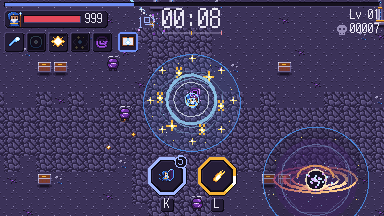
Try each system’s on-screen controls. PS1 shows the DualShock layout.
Scope and limitations
- · Mega-CD, 32X, PC Engine CD-ROM² and Neo Geo Pocket are not supported.
- · Nintendo DSi, DS wireless communication and DS multiplayer are not supported.
- · Some Super Famicom games that require separate firmware cannot run.
- · Mega Drive .smd files and PSP files inside ZIP archives cannot be imported.
Korean fonts for PSP
If Korean text is missing in a PSP game, try changing its font.
Some Korean-patched games load a Japanese font. If that font has no Korean glyphs, dialogue may be missing.
Select Korean font in Game settings and restart the game. This substitutes a font included with the app; it does not translate the game.
Choosing a font
- · The Korean font has no kanji. Choose Original font for games you play in Japanese.
- · Patches that use both Korean and kanji may need a separate PGF font. Only import files you have the right to use.
- · If no font is set for a game, an imported PGF font is used when available; otherwise the original font is used. Selecting Imported font follows the same rule.